Here are the steps to change your GCX language.
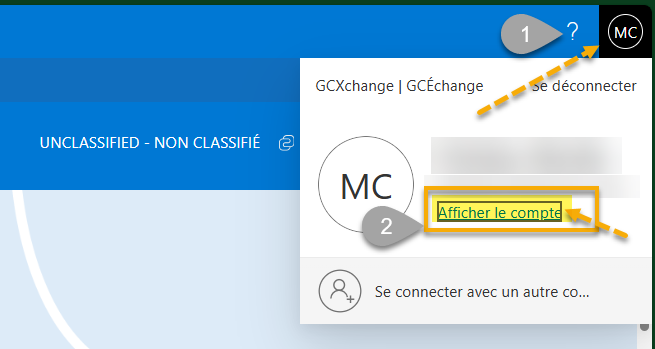
Go to your initial button on the top right of your home page.
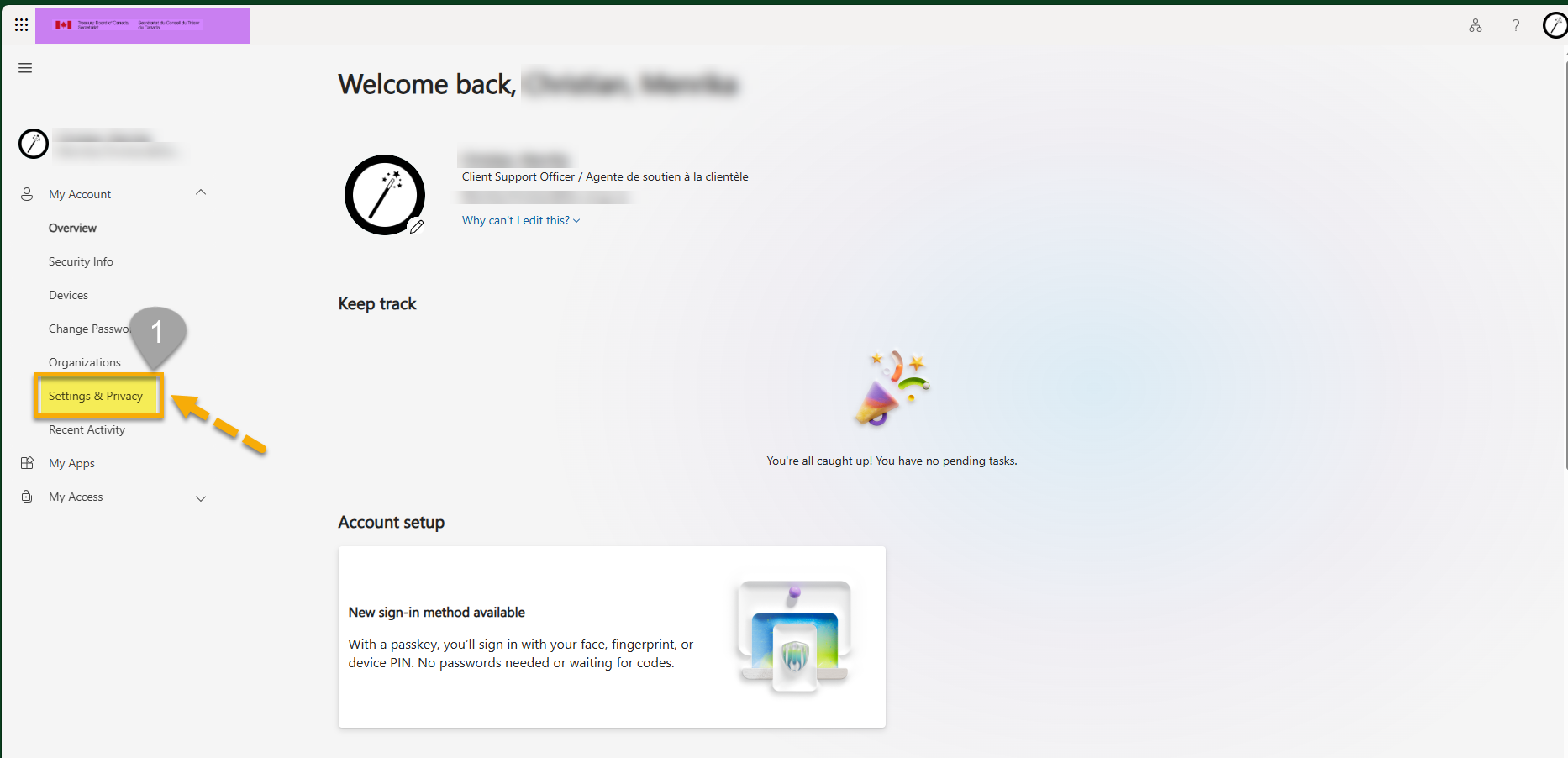
2. Then click on settings & privacy on the left menu. The issue happened because we must first change your Microsoft tenant from your home department to GCX
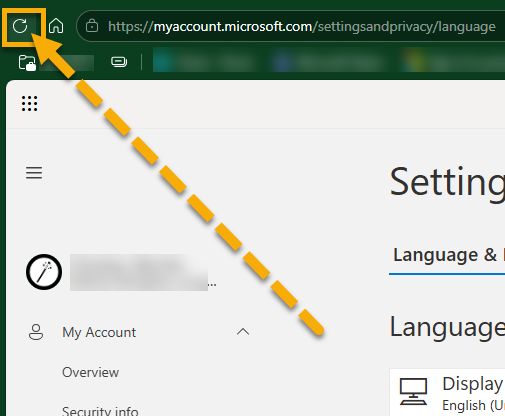
3. Refresh page 2-3 times
4. Click on top right corner is where your icon is situated. Click Switch organization.
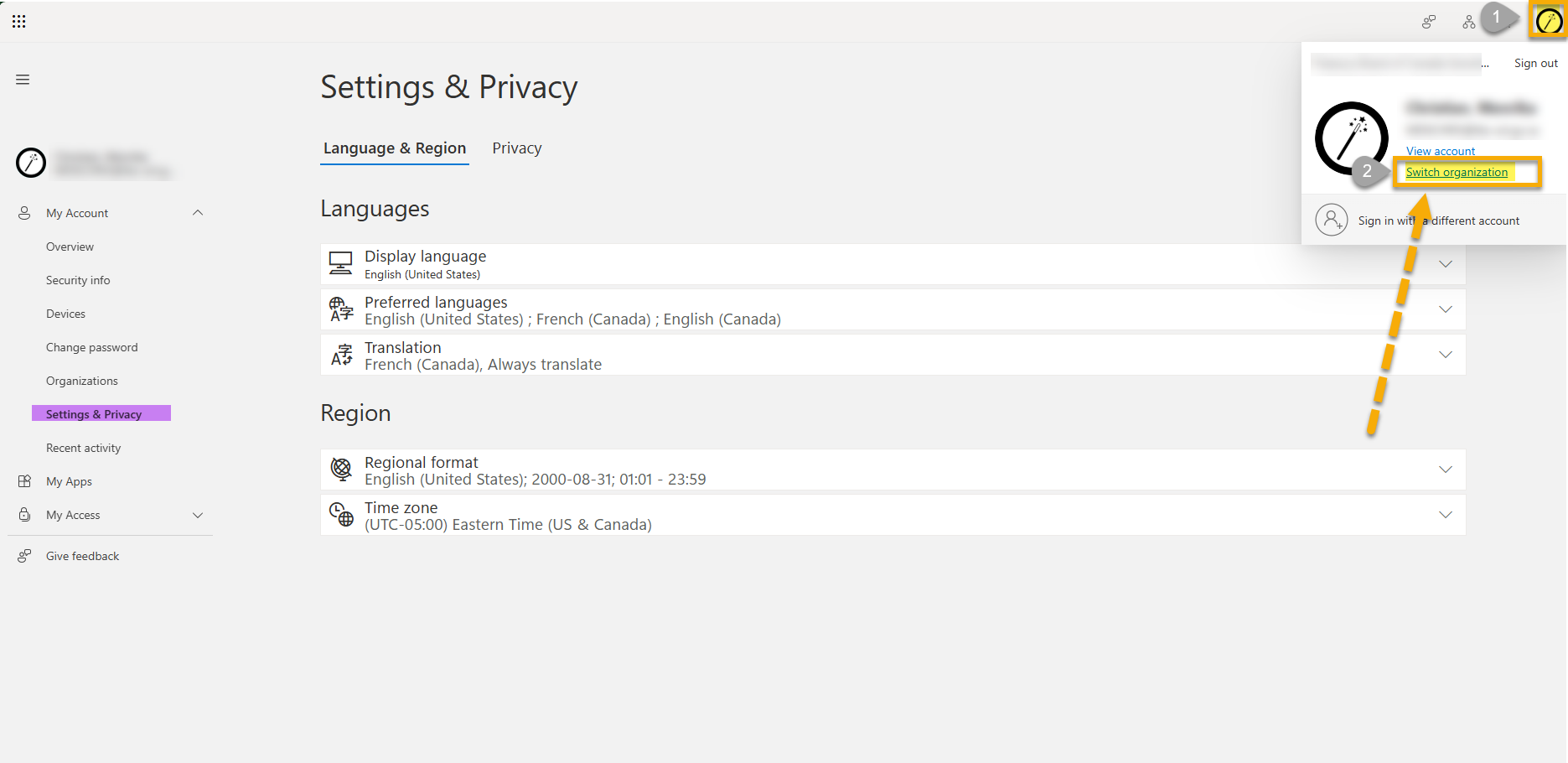
5. Switch to GCXchange
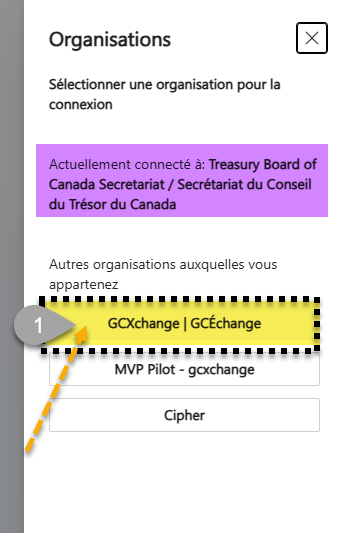
4. From there you can go to your settings to change the language
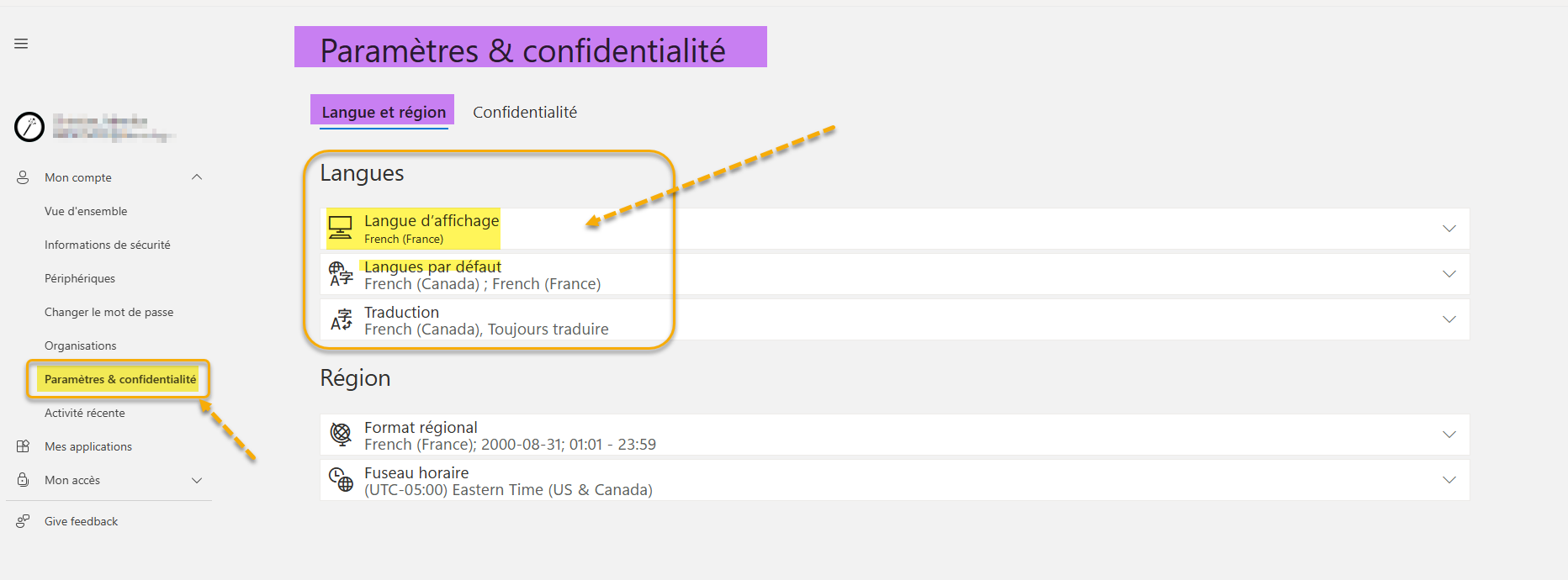
Finally clear your cache and cookies and allow at least 24h to see a change. (could be less).
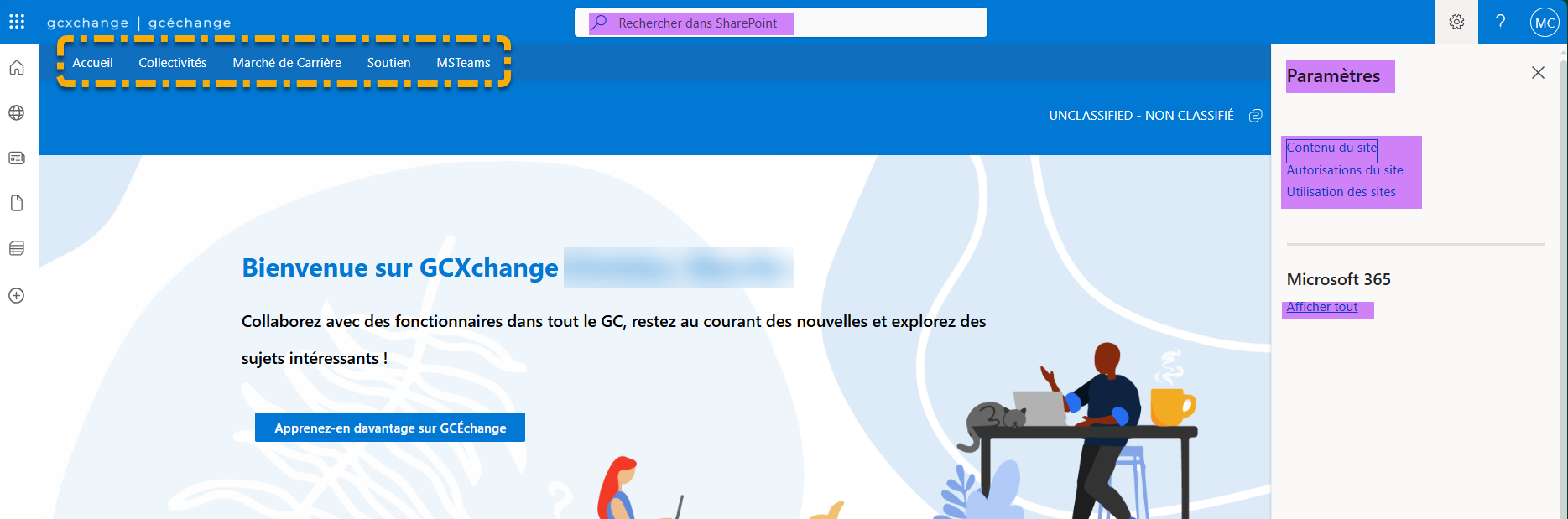
Your GCXchange system should now be in french (or the language of your choice)
Was this article helpful?
That’s Great!
Thank you for your feedback
Sorry! We couldn't be helpful
Thank you for your feedback
Feedback sent
We appreciate your effort and will try to fix the article